

Is your 4D app running slower than expected? When you optimize your app’s 4D performance, it can have a great effect. It can help increase speed, responsiveness, and the general experience of users. An understanding of how to improve 4D app performance will help you deal with inefficient queries, poor memory management, and improper indexing. In this blog, you’ll see an actionable guide to 4D optimization that will increase your app’s performance and make it faster than ever.
Table of Contents
Why is My 4D App Slow?
The first thing to understand here is the reasons for slow 4D applications.
- Slow queries can slow down application performance if they are too complex or poorly optimized.
- If you’re not using memory, it can be the main cause of application slowness.
- Lack of proper indexing can slow down searches, especially with a large volume of data.
- When an application does not prefetch data, the application may not work properly at times. This is particularly true for applications that use the network for communication.
- Using native methods, which are not efficient, can severely slow down a 4D application.
Being aware of these common mistakes is the first step to enhancing your 4D app performance.
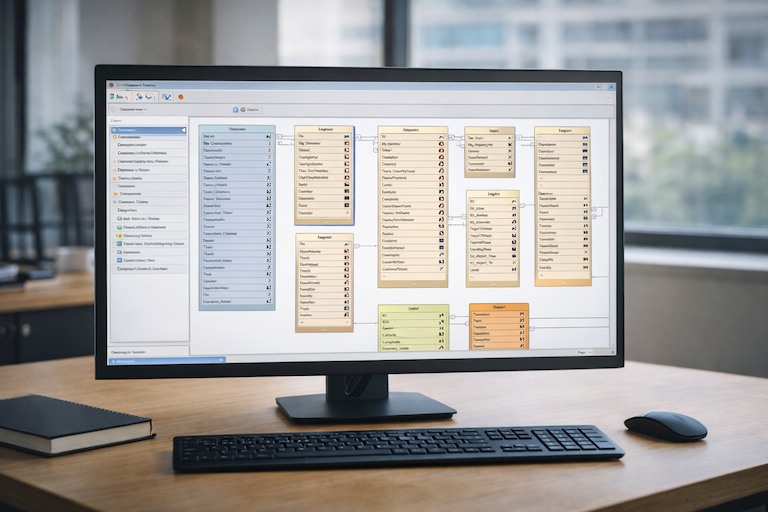
How Can I Optimize 4D Performance?
Want your 4D app to run better? No problems. You can get it to perform a lot better with a few tricks. We’ll discuss the 4D database optimization best practices below and the most important areas you must focus on to yield good results.
1. Make use of indexing through 4D Performance tuning
Indexing is one of the very critical steps in 4D optimization. If a database has no indexes, it must scan the entire contents of a table to locate the desired data. Indexing creates a pointer with the location of the data in the database. Thus, it leads to fast access.
To optimize your queries, take advantage of the 4D’s indexing facility on any field that is the target of a search or is used in filtering. By doing this, 4D performance tuning is greatly enhanced with less time spent in large data set searches.
2. Optimize 4D Database with Prefetching
Another helpful technique for boosting 4D performance is prefetching. The process of preloading loads the data you will need before you actually need it to cut down on delays.
Best Practice: Use prefetching for data you know the user will access. The system won’t have to go fetch data when it is needed, resulting in less latency and faster response times.
3. Efficient Memory Management in 4D Applications
Another critical area to focus on is memory management. Your 4D application may slow down or crash if you do not manage memory correctly when there is significant data. Efficient memory use is essential for apps to scale.
Check your memory often using the built-in 4D tools and reallocate resources as necessary. When you do efficient memory management, your app will work better even if the load is heavy.
4. Implement Native Methods for Speed
In 4D, a native method is a built-in call that performs a task more efficiently than custom code. Make use of these native methods to speed up your app.
Native 4D methods should always be used where possible. They work fast and help save execution time as compared to custom code, especially for common tasks such as string manipulation or data processing.
5. Analyze and Optimize Queries
How complicated a query is can have a huge impact on 4D performance. Complex joins, sub-queries, and filters can delay response times. When you optimize your queries, you help your app avoid wasting processing time.
When constructing your queries, it’s a good practice to build them iteratively. For example, break down a complex query into a few simple (simple, select) components if possible.
Meanwhile, avoid using many joins and ensure your queries are optimized for speed. The 4D Performance Profiler can also be beneficial in uncovering slow queries so you can optimize for speed.
6. Minimize Data Redundancy
When we reduce the amount of redundant data, the better performing your 4D application will be, as there will be less data to process.
Here’s a tip: Check your database structure and remove duplicate data. Data normalization means that your fields should represent only the data that you require. This lightens the load on your app and can enhance 4D app performance.
7. Use Caching for Repeated Operations
When you cache data, you store it in memory so that your application runs quickly, as it does not have to go back to the database for the same query again and again.
Best Practice: Implement caching of static or seldom-changing data when possible. By saving this information in memory, you can avoid multiple queries to the database, which speeds up performance.
A Smarter Approach to 4D Performance Optimization

Improving 4D application performance is rarely about a single fix. It’s the result of consistent tuning across your database structure, queries, memory usage, and application logic. Indexing reduces costly table scans, prefetching minimizes latency, and well-managed memory helps applications remain stable as data volume and user demand increase.
Using native 4D methods where appropriate can significantly reduce execution time, while simplifying and profiling queries helps eliminate hidden performance drains. Reducing redundant data and caching frequently accessed information further lowers database load and improves responsiveness.
When these techniques are applied together and monitored over time, 4D applications can remain fast, reliable, and scalable, even as business requirements grow. Performance optimization is not a one-time task, but an ongoing discipline that supports long-term application health.
When to Bring in a 4D Performance Specialist
If your application is experiencing slowdowns, unpredictable behavior, or scaling limitations, a focused performance review can uncover issues that aren’t always obvious. Wizmo provides 4D performance optimization services centered on identifying real bottlenecks, across queries, memory usage, indexing, and application architecture, and applying targeted improvements based on how your system is actually used.
Our team works with organizations supporting long-running 4D applications as well as teams preparing for higher user demand, cloud deployment, or SaaS delivery. The goal is practical performance gains without disrupting daily operations.
If you’d like to assess your current 4D performance or discuss optimization options, you can connect with Wizmo to review your application and outline next steps.