

In the fast-moving business environment of today, organizations that are still running on legacy databases are asking a pertinent question: How do I migrate data into 4D? No matter the back-end your systems use — Access, FoxPro, DBISAM, or proprietary tools — a structured legacy to 4D conversion minimizes application obsolescence, enhances integration and maximizes long-term system value.
This guide will show you how to migrate legacy databases to 4D, outline the best practices for 4D migration and show you how Wizmo offers professional 4D migration services and expert consultants to facilitate the process.
Table of Contents
Why Migrate Legacy Data to 4D?
Moving outdated data to 4D offers long-lasting corporate and engineering benefits.
- The caption modern architecture says it all. 4D (Fourth Dimension) is an integrated development and database environment with modern API, SQL, and plugin capabilities — a long way from ISAM or flat-file architectures.
4D’s real-time integration with BI tools, cloud services and mobile applications enables better performance. - When you upgrade the data engine with a legacy-to-4D conversion, you retain core business logic.
- 4D enjoys active development and security patch releases and has a strong community. Your investment will remain future-proof.
However, migration is complex. Let’s explore the step-by-step process.

Step One: Evaluation and Development (Before the Migration)
2. Define Scope and Requirements
Determine what data truly needs to move into 4D. With large archives, migrate only active and master data – this 4D migration recommendation allows for controlling performance and cost.
3. Schema Mapping and Data Modeling
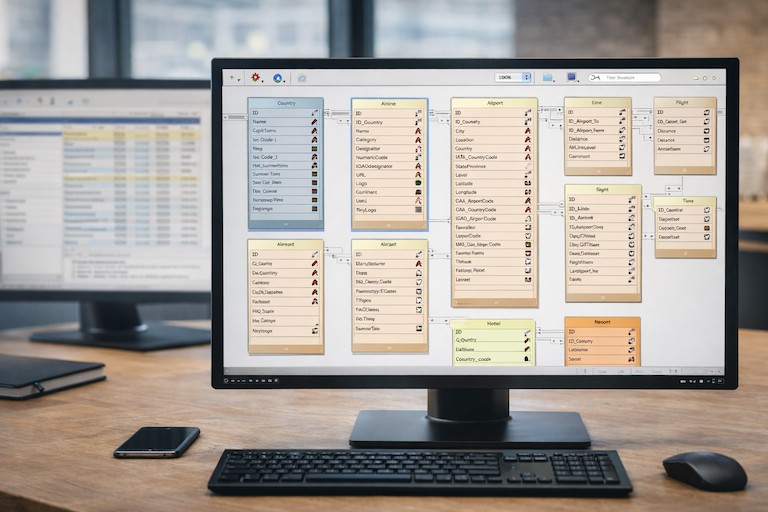
Create a detailed mapping plan to show how every legacy field maps to a column or table in the 4D products.
It is recommended to normalize the flat structures, datatypes, and transformation rules.
4. Tool and Method Selection
- Select your ETL approach. You can use ETL tools (Talend, Pentaho, Informatica) or custom scripts.
- Choose conversion tools suitable for your legacy database.
- Choose between a "big bang" or an incremental migration model.
5. Risk and Timeline Planning
Measure the risks, plan contingencies and set realistic timings. At this point, many organizations pursue a 4D migration service or hire a 4D data migration consultant — we can help define your strategy and roadmap.
Step 2: Preparing and Cleaning Data
1. Clean and Normalize Data
Make duplicate-free and validated legacy data to prevent data inconsistencies in 4D. Data quality is key to migration success.
2. Establish a Test Environment
Create a safe 4D environment for testing your load methods, ETL logic, and results in a sandbox.
3. Build Transformation Logic
Use ETL tools or scripts to implement the transformation rules defined in your data mapping phase.
4. Pilot Migration
Run a small pilot — perhaps one department or module. Check that it is working before you scale.
Step 3: The legacy gets converted to the 4D model
1. Extraction
You can obtain detailed data downloads from legacy systems in structured formats such as CSV, JSON or through ODBC. Capture both data and schema metadata.
2. Transformation
Utilize ETL workflows/scripts to apply type conversions/code translations/normalization.
3. Loading into 4D
Load transformed data using 4D's import methods or APIs. Use batching and transactions to maintain consistency.
4. Validation and Reconciliation
To make sure nothing has been damaged, you should compare counts or totals or relationships. Log and audit every migration step.
Step 4: Cutover and Parallel Run
- Freeze legacy writes before go-live to prevent data drift.
- Perform a final delta sync to migrate last-minute changes.
- Switch users and monitor 4D system performance.
- Test the new system in parallel to the legacy environment prbeforeutover.
Once verified, shut down the old system and securely store historical data.
4D Migration Best Practices
- Start small and iterate early.
- Maintain audit logs for every transformation.
- Preserve original data snapshots for traceability.
- Optimize 4D performance with indexing and batching.
- Don’t allow changing of legacy systems until migration is stable
- Ensure encryption and compliance during data transfers.
- Provide user training and post-migration support.
Moving older systems to 4D may seem hard to accomplish, but by having a structured plan, using the right tools, and getting expert help, the process can become easy to do and have a high return on investment.
Follow this guide for your 4D data migration and rely on Wizmo’s 4D migration service to help you implement it successfully.
Partnering With Wizmo for 4D Data Migration
Migrating legacy data to 4D takes careful planning, accurate data handling, and a clear understanding of how your systems operate in production. Wizmo provides 4D migration consulting to help organizations move from aging databases into stable, scalable 4D environments with minimal disruption.
Our team supports each stage of the migration process, from evaluation and data modeling to conversion, cutover, and post-migration support, tailoring the approach to your infrastructure, data complexity, and deployment model.
To learn more about Wizmo’s 4D migration services, schedule a consultation today.